Before you start
You need permission to manage employment status. Company admins have it. Every company starts with six built-in reasons, such as Voluntary resignation and Retirement.
Add a reason
- Select Settings > People & Access > Termination Reasons. You can also select Manage reasons next to Reason when you terminate someone.
-
Under Add Custom Reason, type the reason (1), such as "End of season".
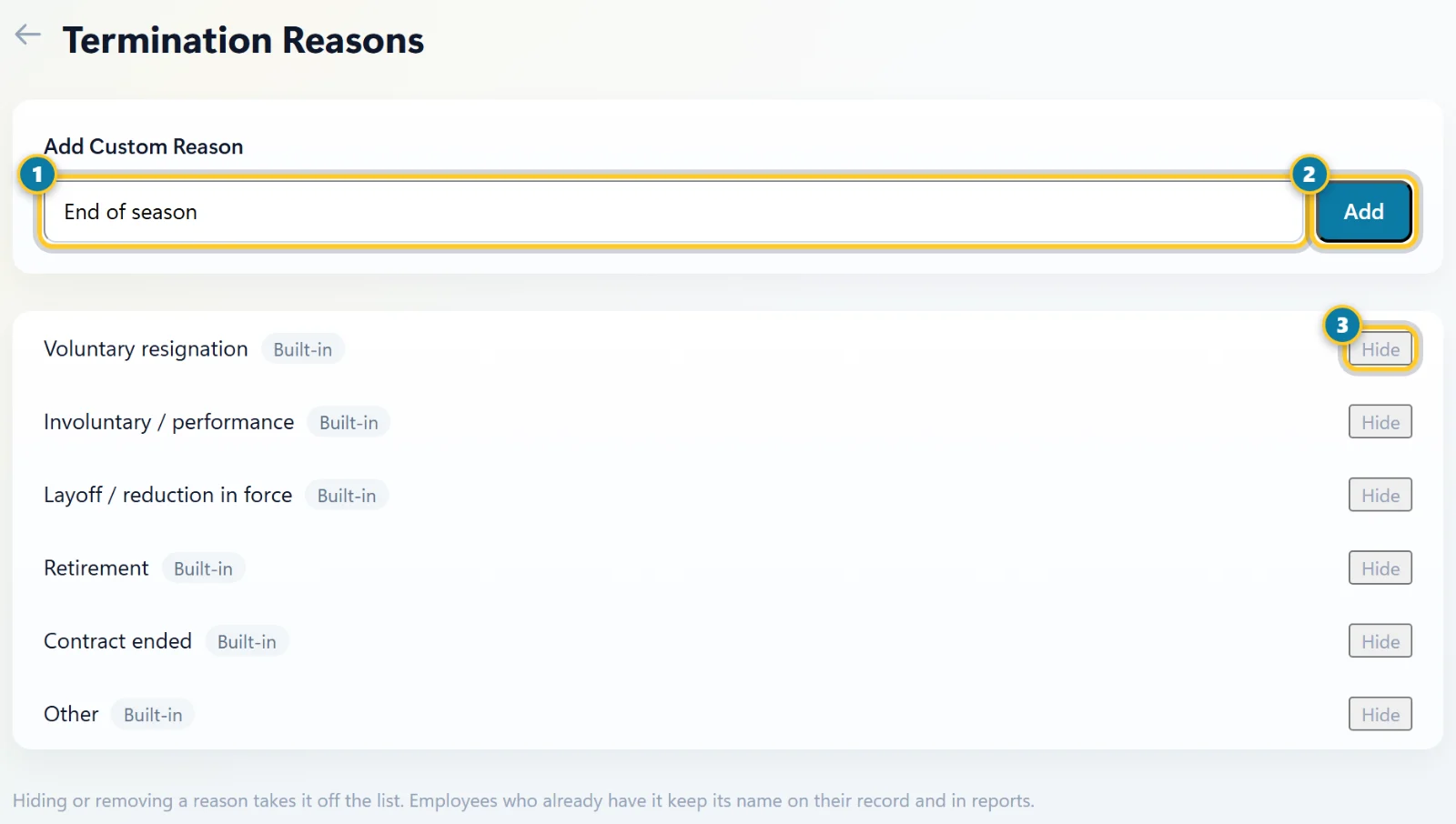
Type the reason (1) and select Add (2). Hide (3) takes a reason off the list. - Select Add (2). It's marked Custom in the list and is ready to pick right away.
Hide or remove a reason
- Find the reason in the list.
- Select Hide (3) for a built-in reason, or Remove for one you added.
- Confirm in the window that opens. The reason leaves the list, so nobody can pick it for new terminations.
Employees who already have that reason keep it. Its name still shows on their record and in reports.
Where the reason shows
- On the employee's profile, under Termination Details.
- In Job Change History on the profile's Employment tab.
- In Reports > Termination Report, and in its CSV, Excel and PDF exports.
- In the Audit Log, next to the termination.
Tip
To pick a reason when someone leaves, see End someone's employment or rehire them.