Get a reset link
-
On the sign-in page, select Forgot? next to Password.
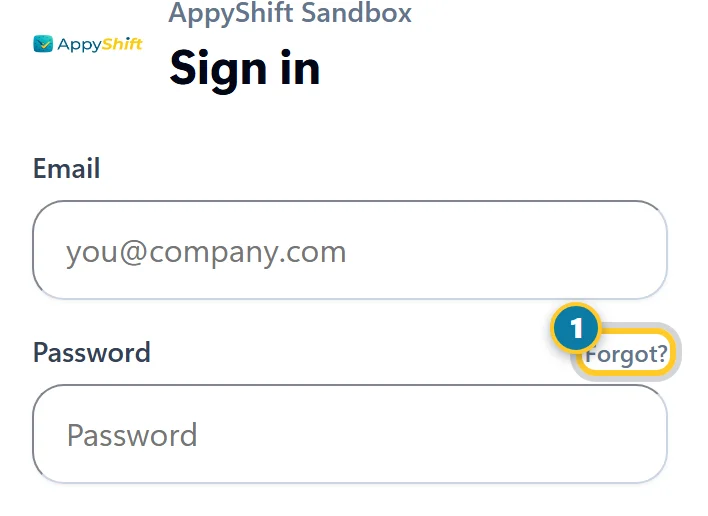
Select Forgot? (1). -
Enter the email your employer has on file, then select Send Reset Link.
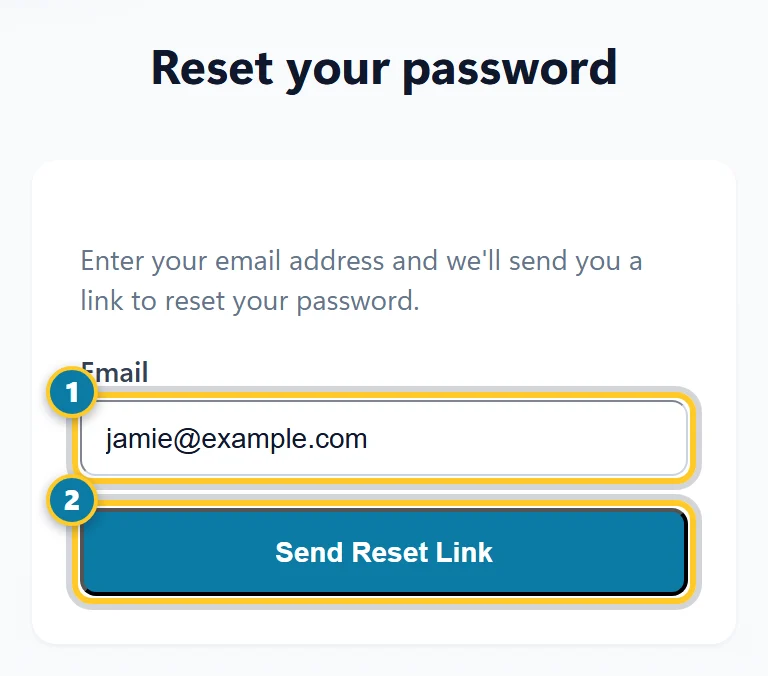
Enter your email (1), then select Send Reset Link (2).
You see "If that email is registered, a reset link has been sent." We email you a link to Reset My Password.
Choose a new password
- Open the email and select Reset My Password. The link works for one hour, one time.
- On Choose a new password, enter a New Password of at least 8 characters, then enter it again under Confirm Password.
- Select Set New Password, then sign in with it.
Didn't get the email?
- Wait a few minutes and check your spam or junk folder.
- Make sure you used the email your employer has for you. We only send the link to that address.
- Link expired? Select Forgot? again to get a new one.
- Still nothing? Your access may not be turned on yet, or your employer has a different email. Ask your manager.
Tip
Know your password and just want to change it? Select Me, scroll to Change Password, enter your Current Password and the new one, then select Change Password.