Housekeeping finds out late
Whether a room is vacant or occupied is a radio call, and the list is on paper at the desk.
For hotels and motels
A hotel day is the room board, where the desk marks a room vacant or occupied and housekeeping sees the same room, a work request opened from that room, the note the desk leaves for the next shift, and cash tips with the hours export.

The week before AppyShift
Whether a room is vacant or occupied is a radio call, and the list is on paper at the desk.
The desk knows which rooms are turning. The schedule still shows yesterday.
Gratuities are rebuilt before payroll.
One week in AppyShift
Each screen is a real AppyShift page from a sample company, showing a tool this industry turns on.
The desk marks a room vacant or occupied. Housekeeping sees that on the same board, with who is assigned and the clean for the day.
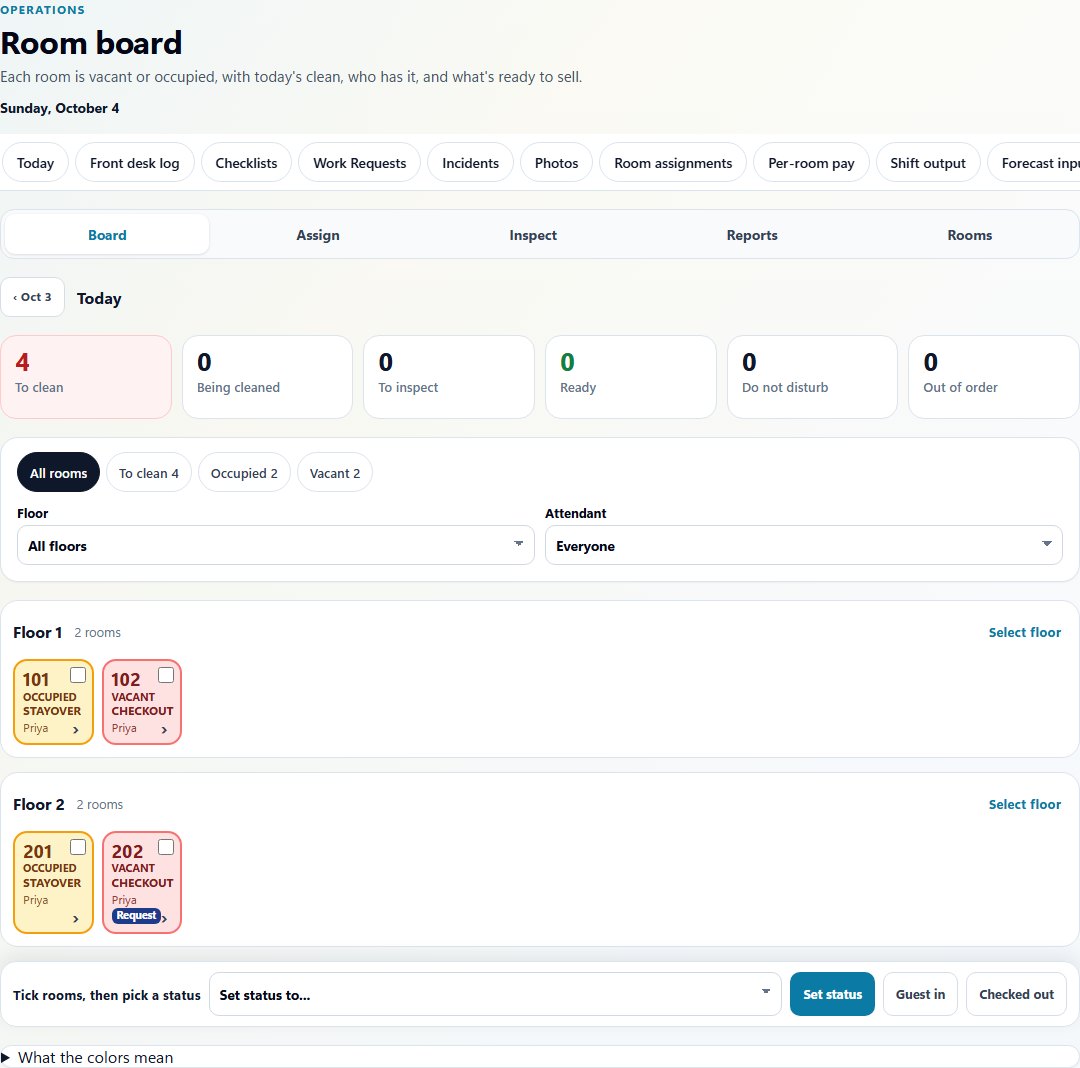
The room board from a sample hotel. Each room shows vacant or occupied, the clean for the day, and who is assigned. A work request stays on room 202.
Open the room and send a work request. It stays on that room for housekeeping or maintenance.
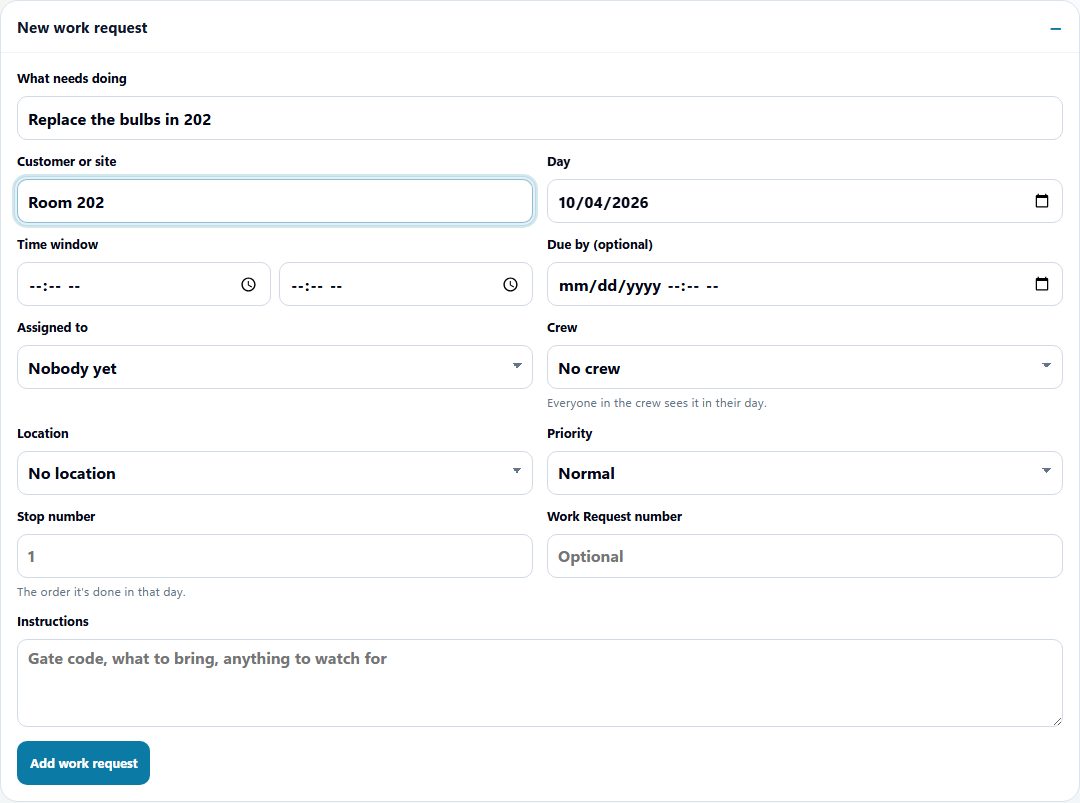
A work request opened from a sample hotel room. The job is the bulbs in room 202.
A late checkout is a note the next shift reads, not a text thread.
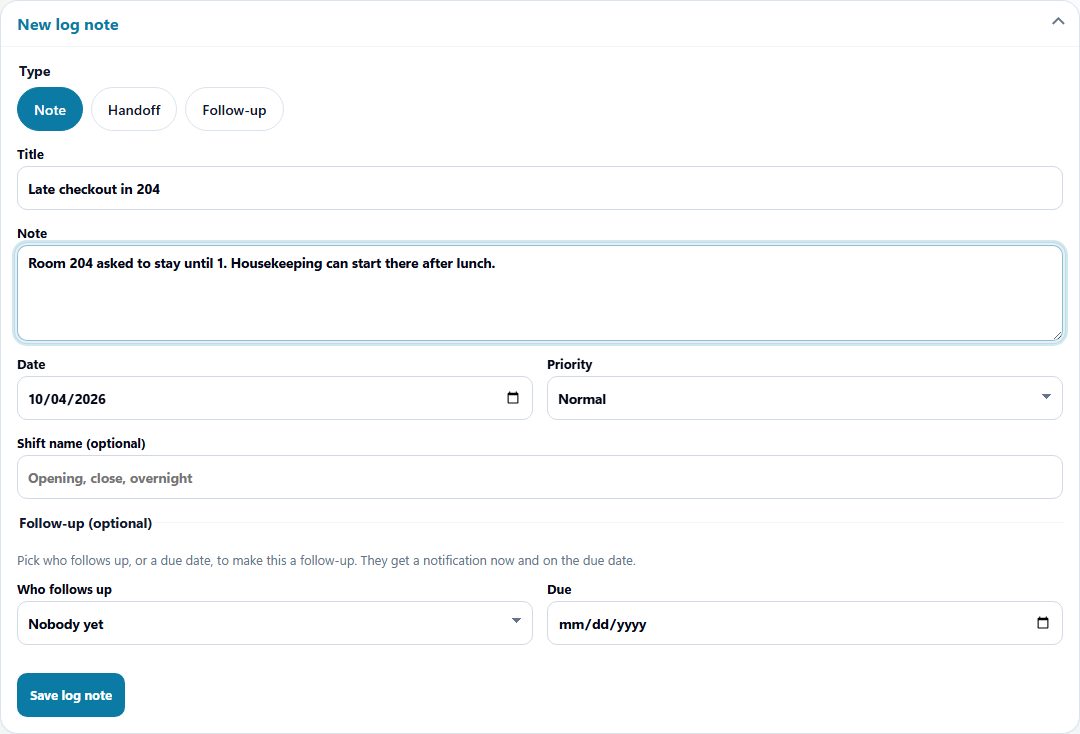
The front desk log. This note says room 204 is a late checkout.
Tips are entered with the person and the shift, then leave with the hours export.
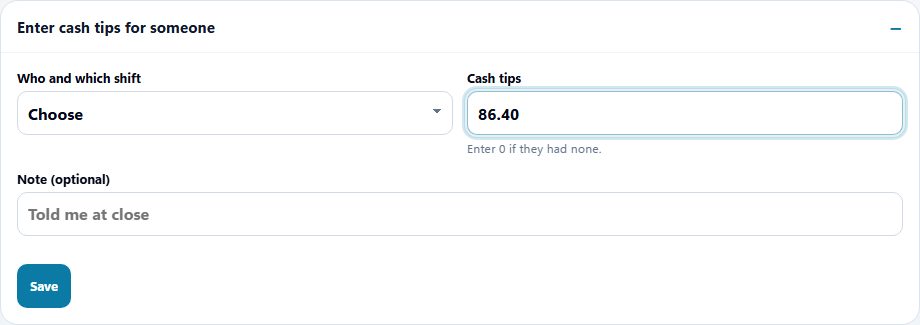
Cash tips are entered here. They leave with the hours export. AppyShift does not run payroll.
Turned on for this industry
Scheduling, time, messages, and callout coverage are available to every company. These are the extra tools this industry starts with. You can change them in setup.
Vacant or occupied, the clean for the day, and who is assigned.
Opened from a room, for housekeeping and maintenance.
Cash tips recorded with the shift, then exported with the hours.
The handoff from one shift to the next.
This setup does not turn on certification gates or client sign-off. Approved hours leave in a payroll export (ADP, Gusto, UKG, Paychex, Paycom, Paylocity, or a CSV). AppyShift does not run payroll.
What this setup does, and what it leaves with you.
Yes. Managers can define positions and work locations, then create and publish scheduled shifts using that structure.
An enabled self-service call-out records the affected shift. The shift can reopen for qualified pickup and configured notifications can be sent.
See the features and checklist designed around department schedules and changing coverage needs.
Drag shifts onto the week with availability, time off, overtime and labor cost in view. AppyShift suggests who fits, checks your labor rules, and tells only the people whose shifts changed.
Learn more →Employees call out from the app or by text. The manager is told, the shift reopens for coworkers who can work it, and the best replacements are ranked by availability, rest and overtime.
Learn more →Employees clock in, take breaks and fix missed punches from the app, or use one shared tablet. Managers approve the clean punches together and fix the rest with a reason.
Learn more →Use the weekly form to record an effective date range, available hours, and shift preferences, then share or export a copy for your manager.
Learn more →Enter each shift and unpaid break to calculate regular hours, overtime hours, decimal totals, and an optional gross-pay estimate. Everything stays in your browser.
Learn more →A different kind of team
Month-to-month self-serve plans. The trial is 14 days, with no credit card.
Start My Free Trial